theairosproject / systems
AI and Automation: Systems to Work with Artificial Intelligence
Artificial intelligence is not magic. It is a tool. And like any tool, it becomes powerful only when you use it inside a repeatable system. This guide walks you through how to think about AI automation, which tools matter, and how to build workflows that actually save you time every single week.

Why Automate with AI
Most professionals spend between two and four hours per day on repetitive tasks. Writing similar emails, reformatting data, summarizing notes, creating reports from templates, scheduling follow-ups. These are not creative tasks. They are mechanical. And mechanical work is exactly what AI handles best.
The goal of automation is not to replace your judgment. It is to free up your attention so you can apply that judgment where it actually matters. When you automate the repetitive layer of your work, you reclaim hours that compound over weeks and months into genuinely meaningful output.
There is also a quality argument. Humans make mistakes on repetitive tasks precisely because they are boring. We lose focus. We skip steps. An automated system runs the same way every single time. It does not get distracted. It does not forget the third step in a five-step process.
Finally, automation creates leverage. A solo professional with well-designed AI systems can produce the output of a small team. A small team with good automation can compete with departments ten times their size. This is not theoretical. It is happening right now across every industry.
The Real Cost of Manual Work
- 2-4 hrs/day Average time on repetitive tasks for knowledge workers
- 23 min Time to regain focus after a context switch
- 40% Reduction in errors when using automated data processing
- 10x Potential output multiplier with well-designed AI workflows
Categories of Automation
Not every automation is created equal. Understanding the different categories helps you prioritize where to start and what level of complexity makes sense for your situation.
Text Generation and Processing
This is the most accessible category and where most people should start. It includes drafting emails, generating summaries, rewriting content for different audiences, extracting key points from long documents, and creating structured outputs from unstructured input. Tools like ChatGPT, Claude, and Gemini handle this natively. The key is building prompts that are specific enough to produce consistent results and wrapping them in templates you can reuse.

Workflow Automation
This category connects different tools together so data flows automatically between them. When a form is submitted, the data goes to your spreadsheet, triggers an email, creates a task in your project manager, and updates your CRM. Platforms like Make, Zapier, and n8n are built for this. The difference between a messy automation and a clean one is how well you map the data flow before building anything.

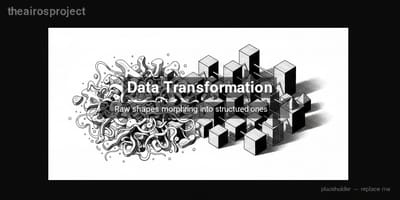
Data Transformation
Taking data from one format and converting it to another is one of the most time-consuming tasks in any business. CSV to JSON. Raw survey responses to categorized insights. Unstructured meeting notes to action items with owners and deadlines. AI excels at this because it can handle ambiguity in ways that traditional scripts cannot. You give it messy input and a clear description of the desired output, and it bridges the gap.
Decision Support
AI can analyze information and present options, but the final decision stays with you. This category includes scoring leads based on engagement data, prioritizing tasks based on urgency and impact, recommending next steps in a project based on current status, and flagging anomalies in financial data. The key is giving the AI enough context about your criteria and letting it do the sorting and ranking.

Content Creation Pipelines
Going from idea to published content involves research, outlining, drafting, editing, formatting, and distribution. Each of these steps can be partially or fully automated. A well-designed content pipeline might use AI for research and first drafts, human review for editing and voice consistency, and automation tools for scheduling and cross-posting. The pipeline approach means you produce more content without proportionally more effort.

Communication Automation
Scheduled messages, auto-responders, chatbots, email sequences, and notification systems. This category handles the ongoing communication burden that grows as your audience or client base grows. The important principle here is maintaining a human feel even when the system is automated. Nobody wants to feel like they are talking to a robot, so the best communication automations are the ones that feel personal and timely.

Key Tools for AI Automation
The tool landscape changes fast, but the categories remain stable. Here are the tools that have proven themselves reliable for building real automation systems.
AI Language Models
ChatGPT (OpenAI) — The most widely used general-purpose AI. Strong at conversation, content generation, code assistance, and analysis. GPT-4 handles complex reasoning tasks well. The custom GPTs feature lets you create specialized assistants for specific use cases.
Claude (Anthropic) — Excellent for long-form content, nuanced analysis, and tasks requiring careful reasoning. Particularly strong at following complex instructions and working with large documents. The extended context window is a significant advantage for document processing.
Gemini (Google) — Integrates deeply with Google Workspace, making it a natural choice if your workflow already lives in Google Docs, Sheets, and Gmail. Good at multimodal tasks that combine text, images, and data.
Automation Platforms
Make (formerly Integromat) — Visual workflow builder with deep integrations. Better for complex, multi-step automations with branching logic. The visual interface makes it easy to understand what your automation does at a glance.
Zapier — The largest integration library. Best for simple, linear automations that connect two or three services. Faster to set up than Make for basic workflows. The AI features are improving rapidly.
n8n — Open-source alternative that you can self-host. Ideal for developers or teams that need full control over their automation infrastructure. Supports custom code nodes and has a growing library of integrations.
Specialized AI Tools
Midjourney / DALL-E — Image generation for marketing materials, social media, presentations, and prototyping. Useful when you need visual assets quickly without hiring a designer for every request.
ElevenLabs — Voice synthesis for video narration, podcasts, and audio content. The quality is now indistinguishable from human voices for most use cases.
Perplexity — AI-powered research that provides sourced answers. Useful as a first step in any research-heavy workflow where you need facts with citations rather than generated text.
Development and Integration
Python + LangChain — For building custom AI applications that go beyond what no-code tools can handle. Python remains the most accessible programming language for AI work, and LangChain provides the scaffolding for complex AI workflows.
Cursor / GitHub Copilot — AI-assisted coding tools that make it possible for non-developers to build simple scripts and for developers to work significantly faster.
Supabase / Firebase — Backend services that handle data storage, authentication, and APIs without requiring you to manage servers. Essential infrastructure for custom automation projects.
How to Get Started Step by Step
The biggest mistake people make with AI automation is trying to automate everything at once. Start small, prove the value, then expand. Here is the process that works consistently.
Audit Your Current Workflow
Spend one week tracking every task you do. Write down what it is, how long it takes, and how often you do it. Pay special attention to tasks that are repetitive, that follow a predictable pattern, and that do not require creative judgment. These are your automation candidates. Be honest about the time — most people underestimate how much time they spend on repetitive work by about fifty percent.
Pick Your First Automation
Choose the task that is the most repetitive, the most time-consuming, and the simplest to automate. This is not the most impactful automation you could build. It is the one most likely to succeed. Early wins build confidence and teach you the mechanics. A good first automation might be generating weekly email summaries from your project management tool, or automatically categorizing incoming leads based on their form responses.
Map the Process Before Building
Write out every step of the task as you currently do it. Then identify which steps the AI handles, which steps the automation platform handles, and which steps still need a human. This mapping prevents you from building something that misses a critical step. Document the inputs, the transformations, and the expected outputs. Include what happens when something goes wrong — error handling is what separates amateur automations from professional ones.
Build a Minimum Viable Automation
Start with the simplest version that works. If your ideal automation has ten steps, build the first three and run them manually for a week. Verify that the output is correct. Then add the next three steps. This incremental approach catches problems early and keeps the project from becoming overwhelming. Use the visual builder in Make or Zapier to prototype quickly before investing in custom code.
Monitor, Iterate, and Expand
Every automation needs monitoring. Set up notifications for failures. Review the output quality weekly for the first month. Track how much time you are actually saving versus your estimate. Once the automation is running reliably, look for ways to extend it — can you add another step, connect another tool, or apply the same pattern to a different workflow? The best automation systems grow organically from proven foundations.
Recommended Stack
This is the stack we recommend for someone starting from scratch. It balances power, simplicity, and cost. You can adapt it based on your specific needs and existing tools.
Beginner Stack
- AI: ChatGPT Plus
- Automation: Zapier (free tier)
- Data: Google Sheets
- Notes: Notion
- Cost: ~$20/month
Best for individuals automating personal workflows and simple business processes. No coding required.
Intermediate Stack
- AI: Claude Pro + ChatGPT Plus
- Automation: Make (paid tier)
- Data: Airtable or Google Sheets
- Notes: Notion + Readwise
- Cost: ~$60/month
Best for freelancers and small teams running multiple automated workflows across different business areas.
Advanced Stack
- AI: OpenAI API + Claude API
- Automation: n8n (self-hosted) + Make
- Data: Supabase + Airtable
- Code: Python + Cursor
- Cost: ~$100-200/month
Best for developers and technical teams building custom AI applications and complex multi-step automations.
Use Cases by Role
AI automation looks different depending on what you do. Here are specific, practical examples organized by profession.
Freelancers and Consultants
Automate proposal generation by feeding project requirements into a prompt template that produces a customized proposal draft. Set up automatic invoice follow-ups based on due dates in your accounting tool. Build a client onboarding sequence that sends welcome emails, collects information through forms, and creates project spaces in your management tool — all triggered by a single action.
Use AI to summarize client calls from transcripts and generate action items that automatically populate your task manager. This alone can save three to five hours per week for an active consultant.
Content Creators
Build a content repurposing pipeline: record one long-form piece, use AI to generate a transcript, then automatically create social media posts, newsletter sections, blog summaries, and video descriptions from that single source. Automate your posting schedule so content goes out at optimal times across platforms without manual intervention.
Use AI to analyze your top-performing content and identify patterns in what resonates with your audience. Feed those insights back into your content planning process to create more of what works.
Marketing Professionals
Automate lead scoring based on engagement data from your website, email campaigns, and social media. Build email sequences that adapt based on recipient behavior — someone who opens but does not click gets a different follow-up than someone who clicks but does not convert. Use AI to generate A/B test variations for headlines, ad copy, and email subject lines.
Create automated reporting dashboards that pull data from multiple sources and generate weekly summaries with AI-written analysis of trends and recommendations.
Operations Managers
Automate status reporting by connecting project management tools to a weekly summary generator. Build systems that flag overdue tasks and automatically escalate them through the appropriate channels. Use AI to analyze process bottlenecks by reviewing time-tracking data and suggesting optimizations.
Create onboarding automations for new team members that provision accounts, send training materials on a schedule, and track completion — reducing the administrative overhead of growing a team.