theairosproject / systems
Digital Productivity: Organize, Execute and Build with Clarity
Productivity is not about doing more things. It is about doing the right things with less friction. This guide presents a complete system for capturing ideas, managing tasks, automating your routines, and measuring your progress — so you can focus on work that actually moves the needle.
The Modern Productivity Problem
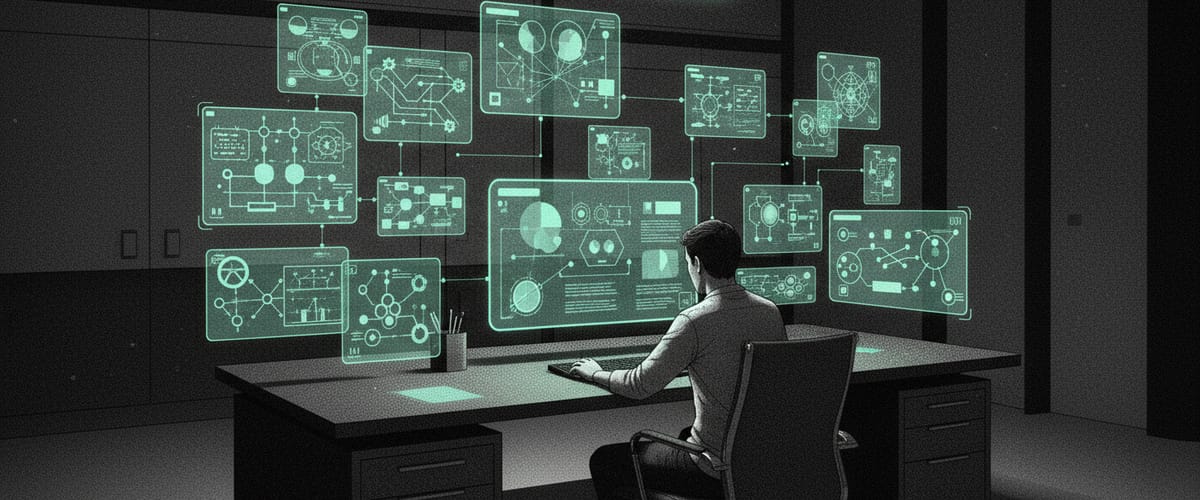
We have more productivity tools than ever, yet most people feel less productive than they did a decade ago. The reason is simple: tools without a system create chaos. Every new app adds another inbox, another notification, another place where things get lost. The result is a scattered attention span and a constant anxiety that you are forgetting something important.
The modern knowledge worker switches between an average of thirteen different applications per day. Each switch carries a cognitive cost. You lose context. You forget what you were doing. You waste mental energy re-orienting yourself. Over the course of a day, these micro-interruptions can consume up to two hours of productive time.
The solution is not another app. It is a system — a structured way of working that tells you exactly where information goes, how tasks move from idea to completion, and when to review your progress. When you have a system, tools become servants instead of masters. You use them deliberately instead of reactively.
What follows is that system. It is not rigid — you will adapt it to your own life and work. But the principles are universal, and they work whether you are a solo freelancer, a startup founder, or a team lead at a large company.
Idea Capture System: Building Your Second Brain
Your brain is for having ideas, not holding them. A second brain is an external system where you capture everything worth remembering, organized in a way that makes retrieval effortless.
The Capture Habit
The foundation of any second brain is the capture habit. Every time you have a thought worth keeping — an idea, a reference, a task, an insight — you write it down immediately. Not later. Not when you get back to your desk. Right now. The tool does not matter as much as the habit. A quick note on your phone is better than a perfectly organized note you never write.
The key principle is having a single capture point. Whether it is a dedicated app, a voice memo, or a physical pocket notebook, everything goes to one place first. You sort later. You capture now. This separation of capture from organization is what makes the system sustainable. If you try to organize while capturing, you will stop capturing.
Organization: The PARA Method
Once captured, information needs a home. The PARA method provides four categories that cover everything: Projects (active efforts with a deadline), Areas (ongoing responsibilities), Resources (reference material for future use), and Archives (completed or inactive items). Every piece of information fits into one of these categories.
The beauty of PARA is its simplicity. You do not need complex tagging systems or nested folder hierarchies. When you capture something, you ask one question: what is this most relevant to right now? If it relates to an active project, it goes there. If it is reference material you might need later, it goes to Resources. If it relates to an ongoing area of your life like health or finances, it goes to Areas. Finished with it? Archives.
Progressive Summarization
Not every note deserves the same level of attention. Progressive summarization is a technique where you add layers of distillation to notes over time. Layer one is the original capture. Layer two is bolding the key passages. Layer three is highlighting the most important bolded text. Layer four is writing a brief summary at the top.
You only add layers when you revisit a note. Most notes never get past layer one, and that is perfectly fine. The notes that you keep coming back to naturally get more refined. This means your most valuable notes are also your most accessible, without requiring any upfront investment in organization.
Recommended Capture Tools
Notion — The best all-in-one workspace for your second brain. Databases, linked pages, and templates make it flexible enough to handle any organizational structure.
Obsidian — For those who prefer local-first, Markdown-based notes with powerful linking and graph visualization. Great for building knowledge networks.
Apple Notes / Google Keep — For quick capture on mobile. Simple, fast, and always available. Use as a capture inbox, then move to your main system during processing.
Task and Project Organization
Captured ideas need to become actionable tasks, and tasks need to live inside organized projects. Here is how to bridge the gap between thinking and doing.
The Task Lifecycle
Every task moves through predictable stages: captured, clarified, scheduled, in progress, completed, and reviewed. The mistake most people make is jumping from captured to in progress without the clarify step. Clarifying means defining what "done" looks like, estimating the time required, and identifying any dependencies. A two-minute clarification step prevents hours of wasted effort on tasks that were poorly defined from the start.
Project Structure
A project is a collection of tasks that leads to a specific outcome. Every project needs three things: a clear definition of done, a list of tasks to get there, and a deadline. Keep your active project list short — three to five major projects at a time is the maximum for most people. Everything else goes to a "someday" list. Having too many active projects is the single biggest cause of feeling overwhelmed and making no progress on anything.
Priority Frameworks
The Eisenhower Matrix (urgent vs. important) is a good starting point, but in practice, most tasks feel both urgent and important. A more practical approach is the ICE framework: Impact, Confidence, Ease. Score each task from one to ten on these three dimensions, multiply the scores, and work on the highest-scoring tasks first. This naturally pushes you toward high-impact tasks that you can actually complete.
Desktop Automation
Your computer is capable of doing far more automatically than most people realize. Desktop automation covers everything from text expansion and keyboard shortcuts to full application scripting and automated file management.
Start with text expansion. If you type the same phrases, email responses, or code snippets repeatedly, a text expander pays for itself in the first week. Type a short abbreviation, and it expands into your full text. This sounds trivial, but it eliminates thousands of keystrokes per week and ensures consistency in your communication.
Next, optimize your application switching. Tools like Raycast on Mac or PowerToys on Windows let you launch apps, search files, run scripts, and perform calculations without touching your mouse. The keyboard is always faster than the mouse for repetitive actions. Learning these shortcuts creates a compounding time savings.
For more advanced automation, look into scripting tools. Apple Shortcuts on Mac, AutoHotkey on Windows, or general-purpose scripts in Python can automate complex multi-step desktop tasks. Batch-rename files, auto-sort downloads into folders, generate daily reports from local data — anything you do repeatedly on your computer can be scripted.
Tools by Platform
The best tool depends on where you work. Here is a curated selection organized by operating system and device.
macOS
- Raycast — Launcher, clipboard manager, snippets, and window management in one tool
- Notion — Second brain and project management
- Fantastical — Calendar with natural language input
- CleanShot X — Screenshots and screen recording with annotation
- Hazel — Automated file organization rules
- TextExpander — Text expansion across all apps
Windows
- PowerToys — Window management, file renaming, keyboard remapping
- Notion — Same second brain, cross-platform
- Ditto — Clipboard manager with search
- ShareX — Screenshots and screen recording
- AutoHotkey — Desktop scripting and automation
- Espanso — Open-source text expander
Mobile (iOS / Android)
- Notion — Quick capture and review on the go
- Todoist — Fast task capture with natural language
- Readwise Reader — Save and highlight articles, books, and podcasts
- Apple Shortcuts / Tasker — Mobile automation
- Voice Memos — Capture ideas when typing is impractical
- Otter.ai — Meeting transcription and summaries
Weekly Review System
The weekly review is the habit that holds the entire system together. Without it, inboxes overflow, tasks go stale, and projects drift. With it, you maintain clarity and control even during the busiest weeks.
The Review Checklist (60-90 minutes)
- Empty all inboxes. Process every capture point — email, notes app, physical notebook, voice memos. Everything gets sorted into your system or deleted.
- Review active projects. For each project, check the current status, update the next action, and confirm the deadline is still realistic.
- Review your calendar. Look at the past week for loose ends. Look at the coming week for preparation needed.
- Review your areas. Are you neglecting any area of responsibility? Health, finances, relationships, professional development?
- Update your task list. Remove completed items. Add new tasks that emerged during the week. Re-prioritize based on current reality.
- Plan the week ahead. Block time for your top three priorities. Schedule deep work sessions. Leave buffer for unexpected tasks.
Making the Review Stick
The weekly review fails for one reason: people skip it when they are busy. But that is exactly when you need it most. The solution is to make it non-negotiable. Schedule it at the same time every week. Treat it like a meeting with your most important client — yourself.
Friday afternoon works well for most people. You close out the current week and set up the next one while everything is fresh. Some prefer Sunday evening as a way to start Monday with clarity. Pick what works and commit to it for at least eight weeks before evaluating.
Create a template for your review so you are not starting from scratch each time. A Notion template, a checklist in your task manager, or even a printed worksheet — the format matters less than the consistency. The template reduces friction, and reduced friction means you are more likely to actually do it.
Personal Metrics
What gets measured gets managed. But measuring the wrong things leads to optimizing for the wrong outcomes. Here are the metrics that actually matter for personal productivity.
Deep Work Hours
Track hours spent in focused, uninterrupted work. This is the single most important productivity metric. Aim for three to four hours daily.
Projects Completed
Count finished projects, not started ones. Completion rate tells you whether you are spreading yourself too thin or maintaining focus.
Weekly Review Rate
Track whether you completed your weekly review. A consistent 100% rate here correlates strongly with progress in every other area.
Inbox Zero Days
Count the days you processed all inboxes to zero. This measures your capture and processing system health.